Wednesday, December 18, 2013

How to improve your iPhone 4s and iPhone 5s and to avoid the Lag


Battery
iOS 7 has been released and reviews seemed not to satisfy the people all need, but surely stepped ahead towards it early design. Battery life of an iPhone has really been an issue, and doesn’t know how far iPhone developers taken into to account, Apple will surely make a note of this problem and try to solve this issue let’s make yourself to protect the battery life.

Some idea’s to improvise the battery life on your own way, here are some technological tips to watch out for. Following ways are not only for iPhone rather to iPad also.

Turn Off the Parallax Effect

People will surely like to attain more attention towards the home screen. Perceptive to this scenario iPhone has enabled flashy looking 3D effect on home screen. The icon’s present in home screen tend to float behind as you move around the screen. This looks really attractive but surely going to use some resource and needs to be noticed. So while you feel that device is lagging a little bit then make sure you turn off this effect named Parallax and try out the work experience with phone at other instance.

Here is Guidelines provided to turn off Parallax effect. Settings -> General -> Accessibility, now tap the Reduce Motion button and closure on this feature.

Turn Down Your Brightness

Automatic brightness in iOS device screen is one of the major power or battery drainer. If you are in instance of low battery instance, just access to Setting app, pass through Wallpapers & Brightness, now turn off Auto Brightness and now manage brightness according to your needs. Now you are in full control towards brightness and that’s your wish to save battery or not.

Turn Off your Radios

Radios drains your battery than any other app prevailing default in iPhone. So whenever you move away from Radio just make a simple note to turn off. Used to play offline games then turn on Airplane mode to indirectly cut the access towards the Radio. If you are not using Bluetooth too often turn off when not needed. Best way to improve this is to have quick switch over to Radio elsewhere in screen.

Turn Off Background Refresh

iOS have a better performance towards the Multitasking environment, but his comes out from the cost of system resource. You are offered to choose which app to refresh and which not to. Guidelines to implement this is, Settings -> General -> toggle Background App Refresh button, from there onwards you can manage the multitasking or when not required turn off completely.

Turn Off Spot Light

Spotlight in sense used to index files on your device, this surely drinks up battery when you tend to have lots of flash storage content available in your device. In order to gain the battery at critical situation and also if you dint mind to lose the search function, the better way is to turn off the Spotlight. You are also made available to selectively disable data types that are not required.

Try out these guidelines to have a better battery backup.

Drones aren't the only way your package will be delivered in future

Amazon caused a stir earlier this month when they announced they were working on a drone that could deliver parcels directly to your door within half an hour of your order being placed. Amazon CEO and founder Jeff Bezos showed Charlie Rose from American TV news show 60 Minutes one of the drones being put to the test. Nicknamed the "Octocopter", the drones will deliver books and other small, light parcels to customers who opt for the "Prime Air" service - predicted to launch as soon as 2017.
While Amazon caught the headlines for their drone project, a revolution has been quietly going on in delivery technology over the past few years which means that we're all able to experience added convenience and speed Amazon claim their drones will deliver without the risk of being hit by an oversized toy helicopter. These innovations might seem rather mundane in comparison, but they will undoubtedly lead to more frustration free deliveries and customer satisfaction in the near term.
Make no mistake: delivery as we traditionally know it is broken. Thankfully experts and innovators from across the industry are working on fixing it, and they're closer to realising their goals than Amazon is to launching their drones. Customers report two major frustrations with deliver today: it doesn't arrive quickly enough, and when it does arrive they're not in to receive it.
While some delivery companies appear to be happy to continue with the current broken model, others have realised that future business from online retailers will require better customer satisfaction. These smart delivery companies have already fitted their fleets with a technology called telematics. Telematics has been around in different forms for several decades now, but is currently mainly used by fleets to track vehicle and driver performance. Shippers using this tech have been able to drastically reduce their fuel bills by intelligently routing deliveries based on factors such as traffic conditions, vehicle whereabouts and time left in the drivers working day. These innovations have already reduced the cost of home delivery, allowing more online stores to offer customers free delivery options.
But telematics is beginning to offer more customer convenience too. By integrating fleet tracking and package tracking, the best fleet telematics systems are now able to give customers more precise delivery times. No more worrying about popping out to the shops on the day you're parcel is due to arrive, as you'll get a text an hour before delivery informing you of precisely when your order will arrive.
While evening and weekend deliveries are also becoming a common option - typically for an extra fee - another cheaper option for those who work long hours is already taking off. Delivery lockers, placed in venues such as local shops, parking lots and even subway stations are becoming a common sight in cities across the world. Boris Johnson, the Mayor of London, recently announced he was closing London Underground ticket booths in order to make space for delivery lockers like these where you can even get fresh groceries delivered. While Amazon is a big player in this market, there's many startups trying to get a piece of the pie. Lockers already deployed are often over subscribed, with pent up demand by customers for the convenience they offer.

Tuesday, December 17, 2013

OS X 10.9.1 is available now!


OS X 10.9.1
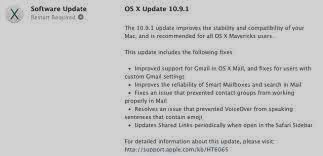
After several weeks of beta reserved for developers, Apple has released the final version tonight OS X 10.9.1 If you have already installed Mavericks on your Mac, you can update to the new version via the Mac App Store. As always, the manufacturer recommends the update to all users. It is supposed to fix bugs first of the new system and especially the disastrous management of Gmail accounts.

Based on the feedback received during the period, all the problems are not yet solved, and is still underway. Further bug fixing may happen after seen whether this new version fixes the remaining bugs or not. This version has build number 13B42. The latest beta availability of developers had to number 13B40. Other corrections listed by Apple Mail still concern, its smart mailboxes and contact groups.

VoiceOver function that sets all the text on the screen for visually impaired users sometimes had trouble with Emil. Another point discussed, shared Safari links were not always updated as they should. Note that Apple also offers an update of Safari (6.1.1) for owners of Mountain Lion. On the other hand, this version includes specific improvements for the last MacBook Pro Retina 2013.

The slowdowns especially with the video display on the 13“may be resolved with this update. Apple said nothing about it, but we imagine that one of the novelties of this version also is support for new Mac Pro, whose marketing is imminent, finally, if the Apple brand continues to meet its promise to leave in December. After OS X and Mac Pro, you should have the right in the wake of updates to Apple's professional software, including Final Cut Pro X and Aperture.

To return to the Mavericks, the first update "minor" is long overdue. 10.9.1 was released 55 days after the release of Mavericks. Previously, usually Apple always offers minor update to its operating system in the months following its release.

Monday, December 16, 2013

Must have accessories for iPhone


Wireless Headphones
The iPhone is one of the bestselling mobile which has been made a record when compared to all other mobile phones. The interface of the iPhone has made the apple lovers to go for it. iPhone is almost present all over the world, even you can find them in each and every region of this globe. Buying an iPhone is just the beginning of your apple life; you can get tons of applications for your iPhone which enhances your day to day life activities. iPhone supports several accessories that are used to make various levels of ease in your lifestyle. iPhone accessories are more efficient when compared to other smartphone accessories hence they offer ultimate power by accessing your iPhone.

iPhone Fitness

Maintaining fitness is one of the main things which have been considered by most of the people around this world. Keeping track of our health is the more important than any other things in this world. iPhone has many accessories which let you to keep track of your body and you can have them in connection with your iPhone. iPhone fitness application is one of the best thing which has been popularly available for the iPhone. Most of the popular companies such as Adidas, Nike and Reebok have many iPhone versions of accessories which can easily measure your heart rate and speed. This let you to track your health condition and you can accurately keep track of your body condition by using this application and also with these kinds of accessories too. These iPhone fitness accessories are more precisely accurate than the conventional accelerometer available in the market to monitor the heart rates.

Extra Battery Support

Batteries are the most important accessories for your iPhone which gives the power for the device. Obviously Smartphones consumes lots of energy for working. Suppose if you want to work for a longer time, then you need a battery backup plan to work perfectly for more time. A larger battery capacity will help you during work time as well as during travelling time. It acts as a secondary fuel tank for your iPhone if you have an extra backup battery. It is strongly and obviously noticed that people having secondary battery will work with their Smartphones without bothering about their battery power consumption schemes. Nowadays various battery accessories are available in the market which offers you better solutions for the battery power source. Various colors are available for external battery, including compact design and also with perfect functionality too.

Wireless Headphones

Wireless headphones are other important accessories for your iPhone. Bluetooth headphones are awesome and look fantastic when compared to other ordinary wired headphones. Various designs of wireless headphones are available in the market for the iPhone device and they provide you more fashion. Brands such as Sennheiser, ZAGG and other leading manufacturers provide more trendy headphones as well as more fantastic products. They are renowned for their long lasting quality and with more sensible clarity. It is the best accessory for the iPhone and also brings out the best quality for you.

Thursday, December 12, 2013

Best Browsers for Ipad and Iphone


Dolphin
The iPhone and iPad browsing facilities are available with default Safari browser. So it doesn’t mean that they have to stick out with that browser. They have now offered several good iPhone browsers that have released and working well and giving an extra option for mobile browsing. Safari offer Flash video or navigate web pages but the new browsing app also offers these features some extra acceleration.Let’s see which offers a better feature browsing facility.

1. Chrome:
 Chrome the first major desktop browser to make a mark at the iOS. This is integrated with Google account and services featuring with nice interface option. Safari with new design to the header is competing among web browsers to kick start to higher arena.

2. Dolphin:
 From the list of given browser it takes the lead to satisfy the user with more options. It is innovative, powerful and free. This browser is little faster than Safari can work with, provideddownloading management and crash recovery in case of failure. One of the best in the list, but lack of iPad support and doesn’t import bookmarks form Safari.

3. Opera Mini Browser:
 If you are searching a perfect alternative for Safari then I would recommend you to go with Opera Mini, faster than the build in browser of iPhone and difference is surely noted while surfing heavy graphics websites. Opera is faster due to compressed version of web pages that is routed to its servers.

4. Atomic:
Atomic unlike other browser can be availed at $.99 and not a full replacement of Safari. This full version is better than Dolphin, Atomic allows you to import book marks form Safari. Varity of options and setting are available when you opt for web development

5. Mercury:
 Clearing bugs this provides a solid browser with full screen, tabbed browsing, bookmarks importing and gestures. Download manager is buggy and if it’s cleared then it will be top contender.

6. Photon:
 Photon deals best with flash. It takes remote desktops Flash and map to your iPhone. Sometimes this cause slow connection, or cause user-interface creepiness, or it works well. Desktop version is not that good at considering iPhone is worthy. This version is Available at $3.99 in Android Market.

7. Switch:
Switch is aiPad specific browser, that includes multiple account and can have a privacy to the user accounts, it supports Airplay and HTML 5 video. Browsers much faster than Safari while loading.

8. Webout:
Webout worthy if you tend to have Apple TV. It supports both audio and video for second generation Apple TV and you can notice video loading a much faster rate.

9. Cloud Browser:
 Many iOS browser not supports Flash or Java. To overcome n this Cloud Browser can be installed, it runs full version in Firefox as server and streams this to iOS device. Problem with this is that audio and video get out of sync and jerky during play.

10. Knowtilus Pro:

This provides more feature and different from other app, while focusing on this basic are being missed and needed to redefine. This app is available at $5.99. Feature offered by this is RSS reader, a barcode scanner, text-to-speech capabilities and efficient than other browsers.

Wednesday, December 11, 2013

Reliable communication with Satellite phones

With great headway in the field of technology, satellite communication has enhanced the communication system providing global connection to voice data with various communication methods to remote areas around the globe. The Iridium Communication is the only satellite communication provider of iridium sat phones with global voice and data communication coverage conducting daily mission critical activities with real time, reliable communication services. The Iridium’s 66 low Earth orbiting – LEO, a cross linked satellites is the world’s largest commercial constellation which operates as a fully meshed network providing high quality voice and data connection over the world’s surface including oceans, airways as well as Polar regions and reaching across oceans through airways and across the Polar Regions.

 Iridium solutions are the most appropriate option for industries like maritime, government military, aviation, mining, oil and gas, heavy equipment, transportation and other utilities. For partners, the Iridium network solution is an apt platform for continuous innovation and serves as a technological support in the development of industry, for their products and services on a large scale. With regards to customers, the unparallel coverage and the dependence on Iridium network implies that they can depend on their critical communication line to work whenever the need arises, at any given location.

The Options of Various Satellite Plans 

Iridium communication services are provided through various handsets together with installed communication systems, onboard ships, aircraft and land based vehicles. It’s SBD – short burst data transceiver which has been incorporated into an increasing number of applications helps in data connections to any corner of the globe, providing location information, email, weather reports or any desired data with a reliable global two way connection. Besides this Iridium also proactively targets new and growing markets with its expanding business segment as a M2M – machine to machine market and two way satellite based location, tracking and messaging market. The OpenPort is a provision for complete voice and data coverage for ships at sea all over the world and is the only and largest global commercial satellite constellation. For the convenience of the users, the postpaid sat phone plans provides reliable communication anywhere without any cause for worry about insufficient balance or expiry of a prepaid account.

The Iridium Global Bundle 10 Plan includes ten minutes of airtime per month with a onetime activation of $40. More options are also displayed for the benefit of the viewers at their site. The Iridium NEXT which is the second generation global satellite constellation and a fast approaching game changing reality, with its focus in improving the ability to meet the increasing demand for global mobile communication at sea, land and in the air. Its interconnected ground network has two gateways, a technical support center, a satellite network operations center and five (TTAC) tracking, telemetry and control stations. The team at Iridium is more than 400 in number comprising of engineers, experts, service technicians and support personnel together with various other value added partners.

Iridium is continuously on the lookout for new ways to expand possibilities especially the next generation constellation in bringing about enhanced, new services and capabilities to their customers.

Thursday, December 5, 2013

Best Must Have apps for Mac


Adium
In this post, I have discussed best must have tools for your Mac and they are given as follows;

1.Adium: Adium is a best app for communicating and it allows you to chat with your chat account in a single interface. For instance, you can add your messenger account with Facebook, Google chat, yahoo messengers, etc... You can easily modify the font style and also the color of the speech bubble.Adium is more compatible with all sorts of internet messaging services that are present all around the internet. Adium has a fantastic interface which is too smooth and lean; providing various features such as encrypted messaging and also tabbed browsing from the Adium itself. Depending of the services, you can send or receives files from the Adium during chatting. Even Adium comes with wide range of colors, themes and other extra features for your IM. In simple words, Adium can be used to connect with multiple services that are used for chatting and communications.

2.Kindle: Kindle is a reading app for your Mac and it syncs your reading progress of your various devices with Mac. Kindle also allows you to customize the app as your wish and Kindle turns your device into an e-reader.

3.Adobe Dreamweaver CS6: Adobe Dreamweaver CS6 is one of the world powerful web editor which let you to edit the webpages and other web contents.Adobe Dreamweaver CS6 has more powerful tool that makes you to edit the webpages as like you want. Even you can create your own webpages or any web contents by using the Adobe Dreamweaver CS6. Adobe Dreamweaver CS6 allows you to connect with an online server and you can modify the files remotely by using Adobe Dreamweaver CS6. Adobe Dreamweaver CS6 is one of my favorite tools for editing and modifying my web contents.

4.Apple Final Cut Pro X 10.0.3: Apple Final Cut Pro X is a complete package which allows you to edit and modify videos. Apple Final Cut Pro X is a marvelous digital video package with various video editing tools that makes the designers to edit and modify their creations in simple steps. Apple Final Cut Pro X is more powerful and this application provides you a significant speed and enthusiasm. Apple Final Cut Pro X secured various level of ranking for the best video editor and digital video editing packages.

5.Skitch: Skitch is a lightweight tool that allows you to capture your screen and enables you to edit with picture editing tools. Skitch is incredibly awesome and it has options such as annotate, resize, adding objects such as lines, shapes, arrows and also supports of cropping the image. By using Skitch, you can even attach watermarks to your image by using this application. Skitch is especially made for quick and effective edits and it doesn’t have options like Adobe Photoshop CS6. But it has simple tools that are necessary. Skitch is cool, effective and extremely well in its performance.

Life on a Smartphone

First off, the existence of tiny little computers that are also phones is an amazing thing. That just needs to be said from the start. It is an absolutely amazing time in technology—an amazing time to be alive. A world of information waits patiently in a pocket, until some pub debate spurs a trivia challenge; got a wager on the answer? Bring out the mobile. Not having to wait to get home to check emails has helped people land jobs and quick texts have made it possible for milk and nappies to come home without a second trip. Not to mention sharing video, promoting cool new businesses, and GPS conveniences. Smartphone technology is awesome.
But even as wonderful as it all is there are some new behaviours that have developed as a result of the widespread adoption of mobile usage, and not all of them are pretty.
Disconnect
As strange as this may sound, it's true. Though technologically more easily connected to friends around the globe, it is all too easy to get sucked into staring at a phone and ignoring the people you're sitting with. Look around and notice how many people are sitting together but staring at individual phones and only halfheartedly speaking to one another. At what point did common courtesy and the communion of eating together get ditched over the allure of the status update of someone you've never actually met in person? Being overly attached to a mobile also means the opportunity for chance meetings or impromptu conversations with strangers are also greatly diminished. Less connection in a far more connected world.
Photo Frenzy
Phone cameras are absolutely brilliant inventions, there's no denying that. But it's become so commonplace to spend more time documenting life than actually living it. It's terrific that everyone's now a budding artist or documentarían but how about putting down the mobile and actually doing stuff for the sheer joy of doing it instead of stopping every two seconds to snap a pic? Plus when caught up in the moment there's a real habit of instantly sharing something that not all might want shared. Everyone has different privacy boundaries that are consistently trod on by well-meaning, yet overly enthusiastic photographers. And again, there's the disconnect of watching an event instead of actively participating in it.
Always On
Sure, parents want to be able to hear from the sitter and there are doctors and nurses on call. And then there's the rest of the world. If the mobile is constantly on and in hand it's something you might want to look at, particularly if you feel really stressed out. Being constantly bombarded by news and other peoples' status updates fills one's life with a lot of unnecessary noise. If having trouble sorting through anything in your own personal life first try to filter out some of the updates on everyone else's. Even if it's just a matter of taking your tea without technology, turn the phone off and hear yourself think.
Safety Last
In addition to lapses in courtesy, the incessant breaches in safety on mobiles is highly alarming. Many social media profiles are left wide open to public viewing, where some may post an image of their street address and then mention going on holiday. Seriously? Too, checking in to a location is just asking for a stalker to stop by. At no time should anyone post where they are and that they are alone. So why has this become such common practice, because everyone's doing it? Homes have gotten burglarized after posting images of expensive items and then giving an open announcement on when the home will be unattended. Remember when setting privacy settings on all social media that your mobile settings need to be checked, too. And try to be wise about telegraphing your movements on any given day.
Mobiles are marvelous. They aren't the problem. Yet technological advancements should never take the place of common courtesy, investment in life, or simple street smarts. There are simple ways to enjoy the benefits of mobiles but to also be sensible, empathetic and engaged. And until there's an app reminding of these things, it's still up to the humans to make it so.

Wednesday, December 4, 2013

Top iPhone Restaurant Guide Apps


Open Table
Finding restaurant which serves good rating of food content with affordable prices is very hard. And finding the best restaurant with your favorite food and its ratings are tougher to find out in today’s life. There is much excellent application available in App store which are especially made for food lover who always wants to check out various dishes in their life. In this article, you can get information about various applications which gives you the better listing of restaurants around you. Now we check restaurant apps which provide good service and best user ratings of various restaurants. Here they are:

Open Table

OpenTable apps provide service to access the more than 1500 restaurant is support. These apps have more features like menu, use ratings, and also include real-time table availability and also reservation functionality through this app. And also OpenTable has a host of other features, including email integration, reward points, and list of nearby restaurant. OpenTable is complete freeware it designed to make it easier to make restaurant reservation.

Wine Rating Guide

Wine Rating Guide it is a paid app in App store. it provide the largest wine database include ratings for over millions of wines and you can search wine by a variety of criteria include name, brand , price, groper, varietal,food pairings and region so on. The rating of wine is measured in scale maximum rating five-point on scale and you can make your rating depend on your mind set. This is prefect app to have on hand the next time you dine out.

Tipulator 

Few people can able to calculate tip in the mind,but not all of them. Tipulator easily calculate your tip in second so that it is easy to use .its interface make it so simple by entering the bill amount , give details percentage you want and tip will be calculated. This is a paid app which supports various premium services for your use.

VegOut

VegOut is the restaurant finder app for vegetarians and vegans. This app ispowered by Happycow.net. It is a web based service for finding a near-by restaurant. You can search restaurant by name or location. In this application,User ratings and reviews about the various restaurantsare included. It is a paid app.

FoodSpotting 

FoodSpotting designed to help you find new restaurant. It offers visual approach the app can display pictures of food item and dishes available nearbyrestaurants. And you may see restaurant by name and what food items available. Anthony Bourdieu is available in this app. This app is a freeware.

UrbanSpoon 

UrbanSpoon is the one the great app which provideinteractive interface to searching an restaurant in nearby like shaking an iPhone gives random search of restaurantnearby and also we search restaurant by price range, menu list etc. Once if you find good dining spot, UrbanSpoon also include ratings, menu and pictures. Moreover this app is a freeware.

Hope you have liked this list of application; I’m damn sure you would like this applications for your iPhone and submit your feedback through the comment box.


Saturday, November 30, 2013

Useful iPhone Apps for Walt Disney World


 Walt Disney World
Are you planning for a trip to Walt Disney World? If your answer gets positive then you have to get all information about the Walt Disney world. There are millions applications available for the Smartphones nowadays; Even though there are several apps which has the best features. In this post, I have discussed top and best iPhone application for Walt Disney world trip. Here they come;

1.“Walt Disney World Maps Box”:Walt Disney World Maps Box is the bestselling iPhone application for Walt Disney World. Walt Disney World Maps Box contains full map about the Epcot, Magic system and remaining Disney theme parks which are located in the Orlando.Walt Disney World Maps Box clearly gives you a map of each and every Disney theme parks with perfect attractions and individual rides too.Walt Disney World Maps Box enables the users to prioritize the must-visit sites around the theme parks in the Walt Disney World. By using the GPS, Walt Disney World Maps Box shows you the exact places around the Theme park.

2. “Walt Disney World Park Hours”: Walt Disney World Park Hours comes especially for Magic Kingdom, Animal Kingdom, Epcot, Water Parks and Hollywood Studios. Walt Disney World Park Hours gives you the exact timing of opening and closing of the theme parks and also Walt Disney World Park Hours includes the daily updated events and schedules for the Shows that are exactly covered in this application. Walt Disney World Park Hours also gives you exact information about the year activities occurring in the above listed theme parks.

3. “Disney World Dining”: Disney World Dining is an impressive application which is developed especially for the Disney world users.Disney World Dining is a dining application which is developed by VersaEdge Software LLC and Disney World Dining includes all restaurants and its full menu with its price as well as its ratings.Disney World Dining allows the users to determine which restaurants to visit and which one to skip. You can also find the restaurant which is closer to you with the help of Disney World Dining application. Disney World Dining allows you to reserve your seating in any restaurants which are available in the list.

4. “Disney World Magic Guide”:Disney World Magic Guide is a bestselling application for the iPhone and Disney World Magic Guide is developed by VersaEdge Software Limited Corporation. Disney World Magic Guide is a comprehensive application which has practically everything which is needed for the Walt Disney Tour. Disney World Magic Guide has an information packages which has opening times of the theme park, Maps with GPS, ride descriptions and so more stuffs regarding the Walt Disney.

5. “Mouse Memo”: Mouse Memo is a must have iPhone application if you need to organize everything for your Walt Disney tour. Mouse Memo is developed by C.Y.borg’s Neura Net and is handier when compared to other applications. You can organize everything for your tour with the help ofMouse Memo.

Best alternatives for iPhone 5


Samsung Galaxy S4
iPhone 5 is a one of the best smartphone which was released by Apple Inc. But the important thing is that, you can’t do everything with the iPhone 5. Suppose if you want to work with larger screen size or you might need a NFC function, then you have to go for any alternatives for the iPhone 5. Here you can found the list of best alternatives for the iPhone 5 and here they are;

1.Samsung Galaxy S4: Samsung Galaxy S4 is a best choice when compared to iPhone 5. It brings out various features in Samsung Galaxy S4; Samsung Galaxy S4 suns on android operating system and it has a brilliant camera which enables you to shoot high clarity image with extra-ordinary flashing. Samsung Galaxy S4 comes with cool gesture control from which you can simplify your task very easily and Samsung Galaxy S4 also offers best way of multitasking for its user.

2.HTC One: HTC One is another best-in-class mobile which offers you tons of features in it. HTC One comes with android operating system and has curved aluminum outer case. HTC One has quad core processor that enhances your process with higher performance. You can run various high graphics application on your mobile without lag. The quad core processor in the HTC One brings you to run many applications in a single time itself. HTC One has a fantastic low light camera which makes you to snap images even in low light too. You can use this HTC One as a remote for your TV.

3.Motorola Droid Maxx: Motorola Droid Maxx is release by Motorola Corporation with Verizon Network. Motorola Droid Maxx comes with all the best features of the latest smartphones around the world. Even you can control your mobile without touching it. It comes with touch less control system which is called as Floating Touch display from which you can easily control Motorola Droid Maxx without touching the screen itself. Motorola Droid Maxx has long lasting battery which stands up to 10 hours approximately. Motorola Droid Maxx has active display too.

4.Samsung Galaxy Note 3: Samsung Galaxy Note 3 brings out the larger screen experience; you can use this device for viewing your media files very largely. Samsung Galaxy Note 3 has a sleeker design which makes the Samsung Galaxy Note 3prettier. Samsung Galaxy Note 3 has improved pen capability from which you can easily scribble over your screen. Samsung Galaxy Note 3 comes in the phablets family and you can even use this as a tablet too. Samsung Galaxy Note 3 has nearly 11 hours of battery life.

5.LG G2: LG G2 has a display of 5.2 inches screen from which you can innovate much stuff from the mobile itself. LG G2 a unique and fantastic design with unique power button as well as volume rocker design. LG G2 allows you to do wonderful multitasking which separates this smartphone from other smartphones.

Hope you might like this stuff and your comments are always welcome !!!

Summation Technology


DVD
If there is a performance at the school at which you work, such as a play on the stage or a band concert in the main auditorium, odds are that it is going to be recorded. Parents are going to do this for themselves, but you should also set up an official camera on a tripod so that it is a steady, clear recording. The tripod can also have an unobstructed view of the performance, whereas the cameras that people in the audience are holding will often be blocked by other people.

The biggest reason to do this is that parents are probably going to come to you after the performance and ask if they can get a copy. Some of them may not have wanted to record it on their own so that they could really watch their children and soak up every moment of it. Some of them may have recorded it but found later that the recording was a very low quality.

If you have a good recording, you can just duplicate the DVDs with the DVD burners that you can get from Summation Technology and then give out copies to the parents. They are going to love this because they do not have to worry about figuring out how to hook the video camera up to the TV or the computer. They can just pop the DVD in a DVD player and watch it in seconds. You may even be able to sell copies to offset production costs.

Sunday, November 24, 2013

Top iPhone application for Finding Gas Station.


Smartfule apps
None of us likes to give higher price for the gas. Suppose, if you’re on a road trip, or may be a business trip, you will always like to pay lower price for the gas as low as possible. In this post, you can get the best application for getting best gas station around you while you’re on a business trip or a road trip. By using the power of GPS and internet, you can get the best information about the best gas station. They are given as;

1.Fuel Finder: Fuel Finder is an impressive iPhone application which provides you a strong interface that brings you a list of best features. Fuel Finder helps you to get into a closest station which is located nearby you. You can get roadside help for you, when you’re low on fuel. Fuel Finder is found on the app market for only 2.99$ and Fuel Finder doesn’t require a subscription pack, so that you can use them for lots of information.

2.Smart Fuel: Smart Fuel gives you a best feature where you can get more detailed report of your fuel. Smart Fuel enables the users to bookmark their recent gas stations it also provides an accurate station listing. Smart Fuel comes with month of free train period and you can continue the subscription further by paying 4.99$ for 6 months or for 14.99$ for 24 months of time. The interface allows you to save your fuel and you can save more by subscribing to this application.

3.Road Ahead: Road Ahead is an app which brings out the necessary amenities which are available in the high ways; you can find the best objects which are present in your way. Road Ahead provides the list of gas stations which are available in the high ways and with its prices too. You can find out the best gas station over the various localities and you can scroll through the various localities station for best prices. Road Ahead is all-in-one application which offers you many services and you can get all information about your trip with this application itself.

4.Gas Buddy: Gas Buddy is a brilliant application which gives you all information about the gas station and its prices for totally free. If you were searching for an application which is totally free of cost for your road trip, the Gas Buddy could be a best one in the list. Gas Buddy has a list of features which is totally comes for free of cost.

5.Fuel Smart Pro: Fuel Smart Pro is a premium application which comes with list of comprehensive gas stations and with the accurate prices. The interface of the Fuel Smart Pro is very nice and the features of the Fuel Smart Pro are solid. Fuel Smart Pro makes your travel more simple and elegant; you can subscribe the application for 2.99$ per year. Since it is pro version, you can go for Fuel Smart Pro for better use.